
Home · Help · Minecraft server settings
Minecraft server settings: game rules, world, performance
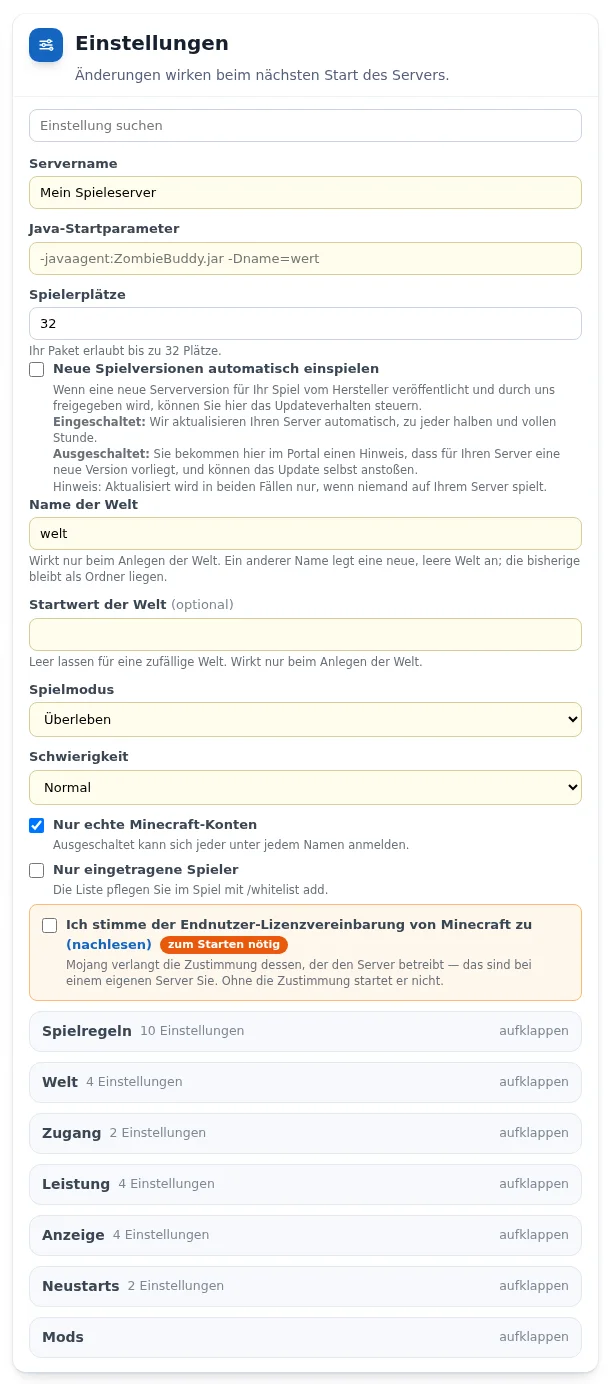
Your Minecraft server runs the Java Edition. All settings are in the „Einstellungen“ (Settings) card in the customer portal and are saved automatically. How the cards work in general is described under Managing a game server in the customer portal.
Before the first start
- „Ich stimme der Endnutzer-Lizenzvereinbarung von Minecraft zu“ (I agree to the Minecraft End User License Agreement): Mojang requires the consent of whoever operates the server, so for your own server, yours. Without it the server does not start.
- „Name der Welt“ (World name) and „Startwert der Welt“ (World seed) only take effect when the world is created. Without a seed you get a random world. After the first start you manage your worlds in the „Welten“ (Worlds) card.
- „Spielmodus“ (Game mode): Survival, Creative or Adventure. „Schwierigkeit“ (Difficulty): Peaceful, Easy, Normal or Hard.
- „Nur echte Minecraft-Konten“ (Only genuine Minecraft accounts): when off, anyone can log in under any name. „Nur eingetragene Spieler“ (Only listed players): you maintain the list in the game with
/whitelist add.
„Spielregeln“ (Game rules) group
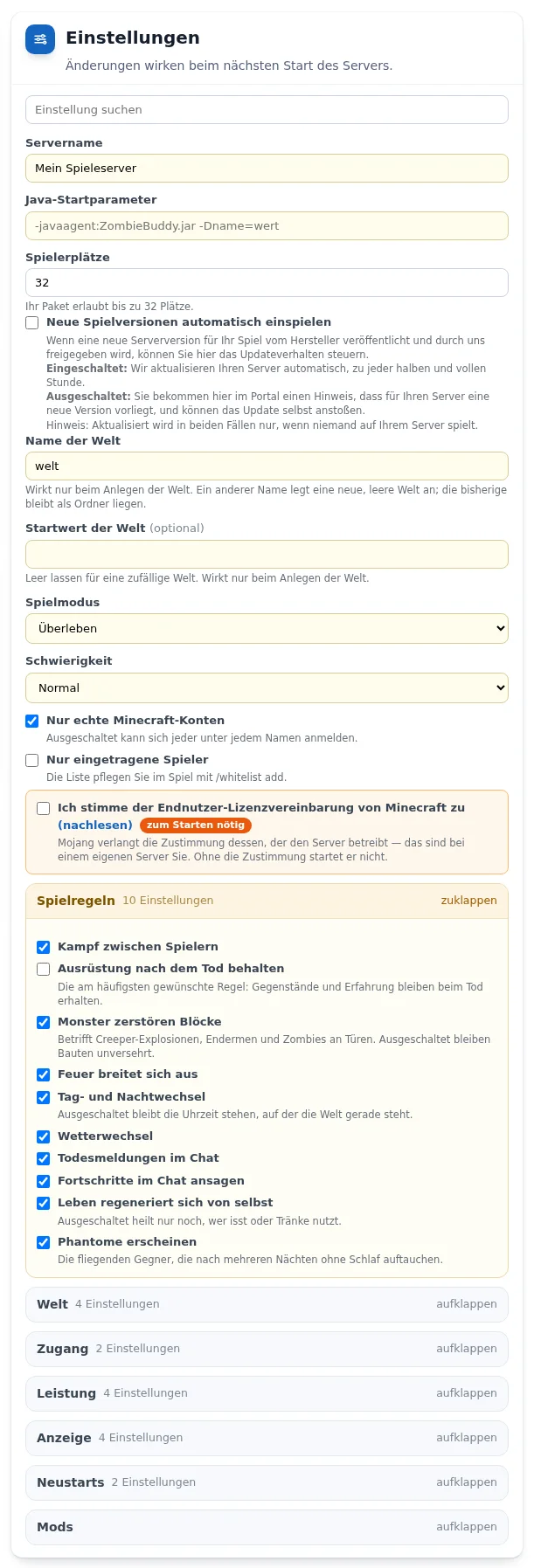
- „Ausrüstung nach dem Tod behalten“ (Keep inventory after death): items and experience are kept on death.
- „Monster zerstören Blöcke“ (Mobs destroy blocks): affects creeper explosions, endermen and zombies at doors. When off, builds stay intact.
- „Tag- und Nachtwechsel“ (Day and night cycle): when off, the time stands still. Also switchable: weather cycle, fire spread, player combat, death messages and advancements in chat.
- „Leben regeneriert sich von selbst“ (Natural regeneration): when off, only eating or potions heal. „Phantome erscheinen“ (Phantoms spawn): the flying enemies after several nights without sleep.
„Welt“ (World) group
- „Art der Welt“ (World type): Normal, Flat (Superflat), Large biomes or Amplified. Only takes effect when the world is created, Amplified requires considerably more computing power.
- „Strukturen erzeugen“ (Generate structures): villages, strongholds, temples. Only takes effect when the world is created.
- „Hardcore“: difficulty fixed to Hard, whoever dies stays a spectator. „Nether erlauben“ (Allow Nether): when off, portals have no effect.
„Zugang“ (Access), „Leistung“ (Performance) and „Anzeige“ (Display) groups
- „Rauswurf bei Untätigkeit (Minuten)“ (Idle kick in minutes): 0 switches it off. „Flug erlauben“ (Allow flight): without this switch the server disconnects players who fly with elytra or a plugin.
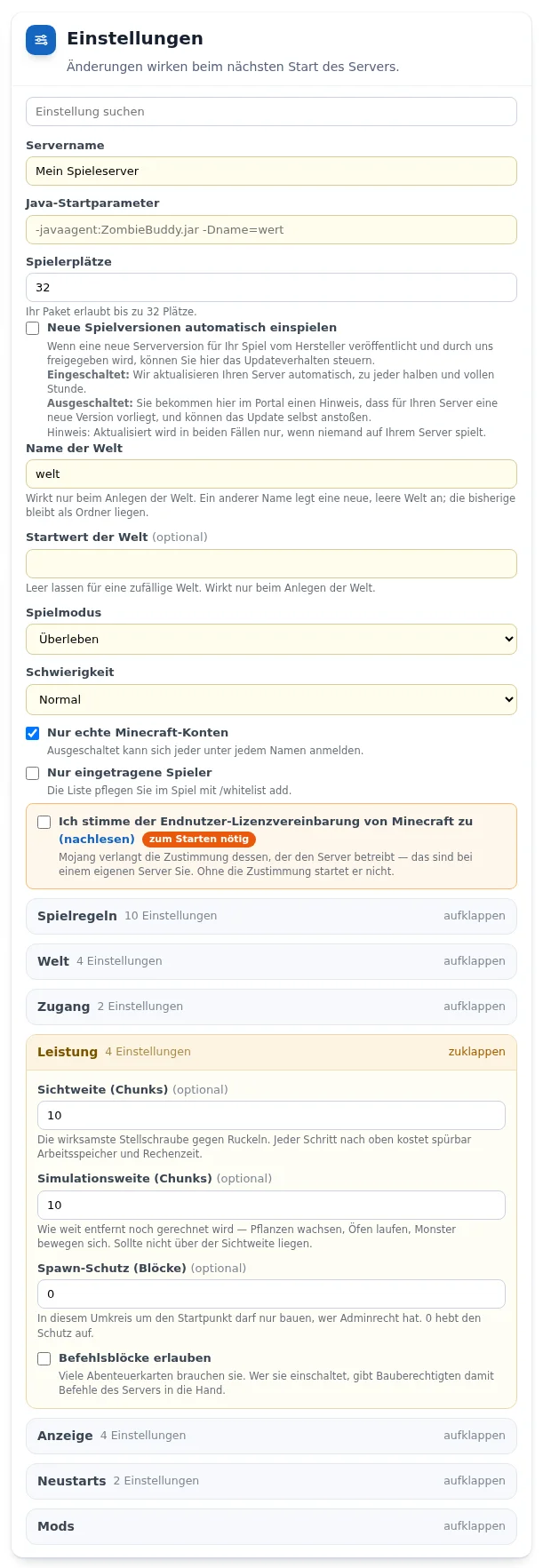
- „Sichtweite (Chunks)“ (View distance) is the most effective adjustment against lag, each step up noticeably costs memory and computing time. „Simulationsweite (Chunks)“ (Simulation distance) sets how far away the game still computes and should not be above the view distance.
- „Spawn-Schutz (Blöcke)“ (Spawn protection): within this radius around the spawn point only admins can build, 0 removes the protection. „Befehlsblöcke erlauben“ (Allow command blocks): many adventure maps need them.
- „Nachricht in der Serverliste“ (Server list message) appears below the server name. „Ressourcenpaket (Adresse)“ (Resource pack URL) with „Prüfsumme des Ressourcenpakets (SHA-1)“ (Resource pack checksum) gives the server its own textures and sounds. With „Ressourcenpaket verlangen“ (Require resource pack), anyone who declines the pack cannot join.
Plugins
From Flex M. The server runs Paper and loads plugins as .jar. Switch on the mod environment in the „Mods“ group with „Mods einschalten“ (Switch on mods) and upload plugins in the „Mods und eigene Welt hochladen“ card with the type „Mod“. There is no guarantee for operation with plugins. How plugins differ from mods is explained under Plugins or mods for Minecraft?
Uploading your own world
In the „Mods und eigene Welt hochladen“ card with the type „Welt“ (World): an archive (.zip or .tar.gz) containing the level.dat. The server stops, backs up the old state, replaces the world and starts again. More under Moving your own Minecraft world to the server.
Frequently asked questions
- Why does my Minecraft server not start?
- Usually the consent to the license agreement in the „Einstellungen“ (Settings) card is missing. Without it no Minecraft server starts.
- My server lags. What helps?
- First lower the view distance and set the simulation distance no higher than the view distance. If that is not enough, a higher tier helps, see How much memory does a Minecraft server need?
- Can I edit the server.properties file directly?
- Yes, from Flex M in the file manager or via SFTP. The customer portal takes over the values after a short time.
See also: Minecraft memory Moving your own Minecraft world Managing a game server in the customer portal