
Home · Help · Factorio server settings
Factorio server settings: map, enemies, Space Age
The settings of your Factorio server are in the „Einstellungen“ (Settings) card in the customer portal, divided into groups, and are saved automatically. Many values only apply when the map is created, so set them before the first start. How the cards work in general is described under Managing a game server in the customer portal.
Map and terrain
- „Welt und Karte“ (World and map): save name, map seed, map width and height (0 means unlimited, a height of 128 gives a ribbon world), starting area size, map type (normal terrain or island in an endless sea), moisture and terrain type, cliffs.
- „Rohstoffe und Gelände“ (Resources and terrain): frequency, size and richness per resource, for iron, copper, coal, stone, crude oil and uranium, plus water and trees. „Keine“ (None) for water creates a map without water, which also means no cooling water for steam.
- „Gegner auf der Karte“ (Enemies on the map): frequency and size of nests. With „Gegner (Beißer) auf der Karte“ (Enemies (biters) on the map) switched off, the map has no biters at all. In „Friedensmodus“ (peaceful mode) biters only attack when you attack their nests.
Space Age, Quality and Elevated Rails
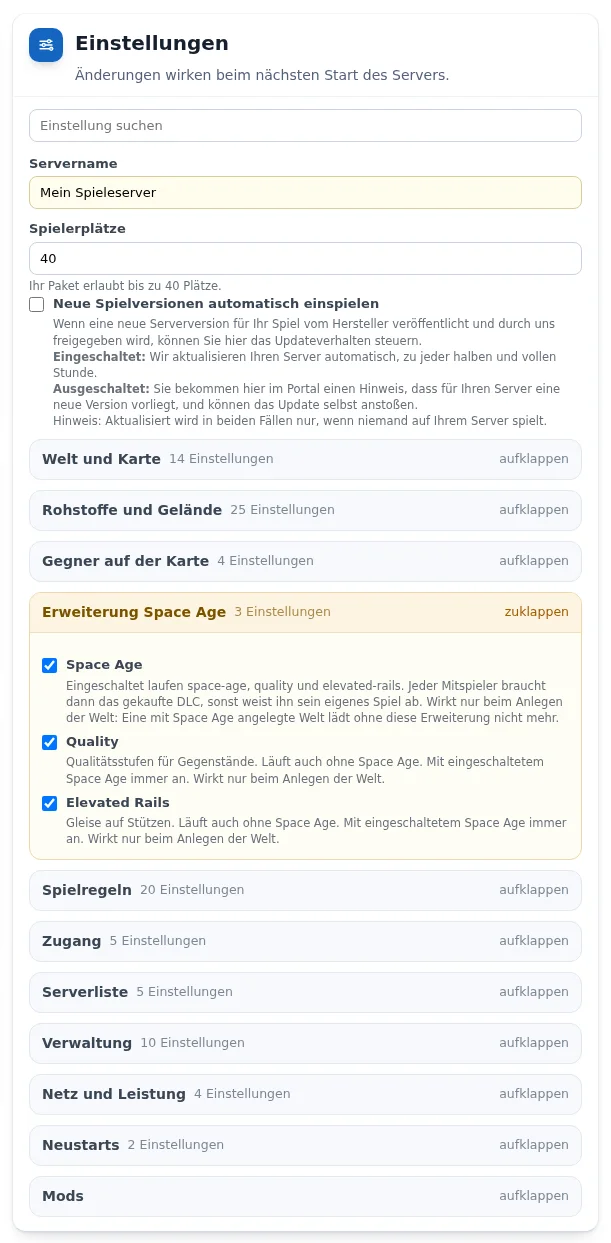
In the „Erweiterung Space Age“ (Space Age expansion) group you switch the expansion on or off. When on, space-age, quality and elevated-rails run. Every player then needs the purchased DLC. Quality and Elevated Rails can also be switched on individually without Space Age. All three only apply when the world is created: a world created with Space Age no longer loads without the expansion. More under Why does my Factorio server require Space Age?
Game rules
The „Spielregeln“ (Game rules) group corresponds to the advanced map settings in the game: research costs (100 is normal, 400 corresponds to marathon mode), spoil time and asteroid density with Space Age, pollution, enemy evolution by time, destroyed nests and pollution, and the founding of new nests. These values also only apply when the map is created.
Access and server list
- „Zugangsliste“ (Access list): Factorio usernames, separated by commas. With „Nur Spieler von der Zugangsliste“ (Only players from the access list), only those listed can join. With an empty list the server stays open.
- „Nur angemeldete Factorio-Konten“ (Only verified Factorio accounts), „Rückkehrer auch bei vollem Server“ (Returning players even when full) and „Weltweite Bannliste von factorio.com“ (Global ban list from factorio.com).
- For the public server list Factorio requires an account on factorio.com: enter username and token in the „Serverliste“ (Server list) group. The token is in the account under „Profile“ and is not a password. Without both, the server can only be reached by its address.
Management
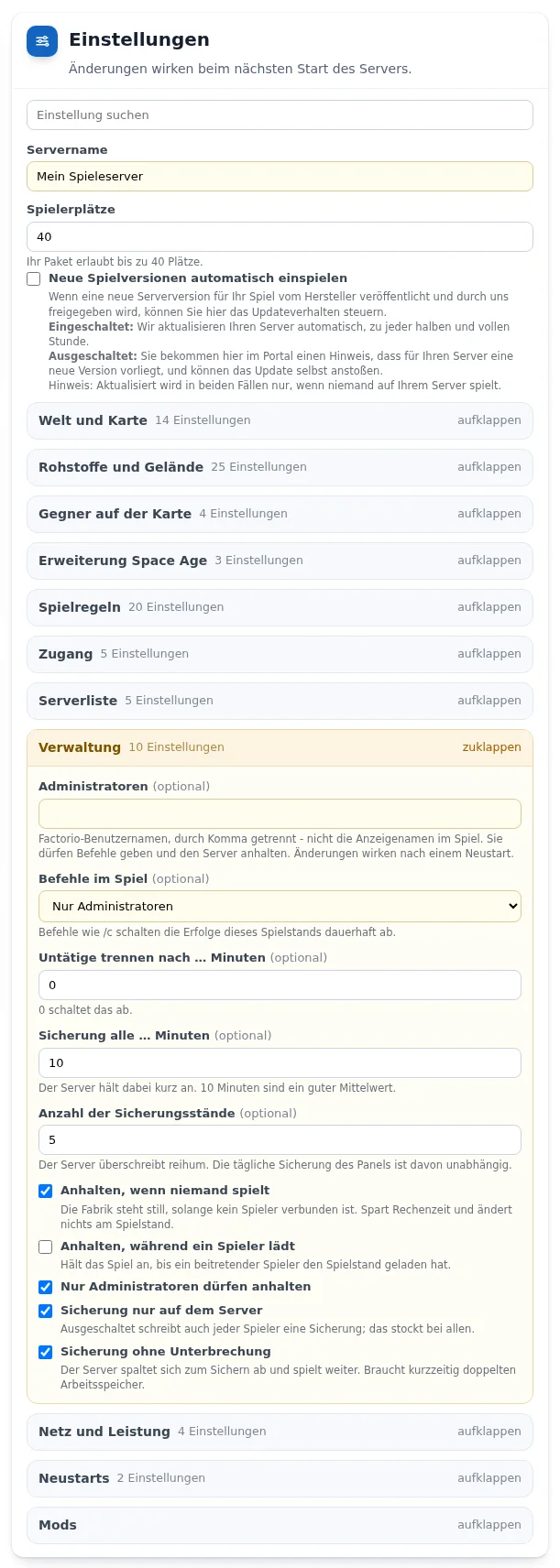
- „Administratoren“ (Administrators): Factorio usernames, not the display names in the game. Changes take effect after a restart.
- „Befehle im Spiel“ (In-game commands): administrators only, all players or nobody. Commands such as
/cpermanently disable achievements for this save. - „Sicherung alle … Minuten“ (Autosave every … minutes) and „Anzahl der Sicherungsstände“ (Number of autosave slots) control the game's own autosaves. The daily backup in the „Sicherungen“ (Backups) card runs independently. „Sicherung ohne Unterbrechung“ (Non-blocking saving) briefly needs twice the memory.
- „Anhalten, wenn niemand spielt“ (Pause when no one is playing): the factory stands still while nobody is connected. This saves computing time and does not change the save.
Network and performance
In the „Netz und Leistung“ (Network and performance) group you set the network tick rate, an upload limit, the number of simultaneous map transfers and a minimum latency. The defaults suit most servers.
Mods and your own save
From Flex M you switch on the mod environment in the „Mods“ group and upload mods as .zip in the „Mods und eigene Welt hochladen“ card. All players need the same mods. You upload your own save there with the type „Welt“ (World), as an archive containing the save file. The server stops, backs up the old state, replaces it and starts again.
Frequently asked questions
- Why are my achievements disabled?
- Commands such as /c in the game permanently disable achievements for a save. Setting „Befehle im Spiel“ to „Niemand“ (Nobody) prevents this.
- I changed the map settings, but the map looks the same.
- Most map settings only apply when the map is created. For a new map use „Welt neu erzeugen“ (Create new world) in the „Sicherungen“ (Backups) card. The old state is kept as a backup.
- Why doesn't my server appear in the server list?
- For the public list you need an account on factorio.com and its token in the „Serverliste“ (Server list) group.
See also: Factorio and Space Age Managing a game server in the customer portal Connecting players