
Home · Help · Don't Starve Together server
Don't Starve Together server: cluster token and settings
A Don't Starve Together server needs a cluster token from Klei, the game's developer, before the first start. Everything else you set in the „Einstellungen“ (Settings) card in the customer portal, every change is saved automatically. How the cards work in general is described under Managing a game server in the customer portal.
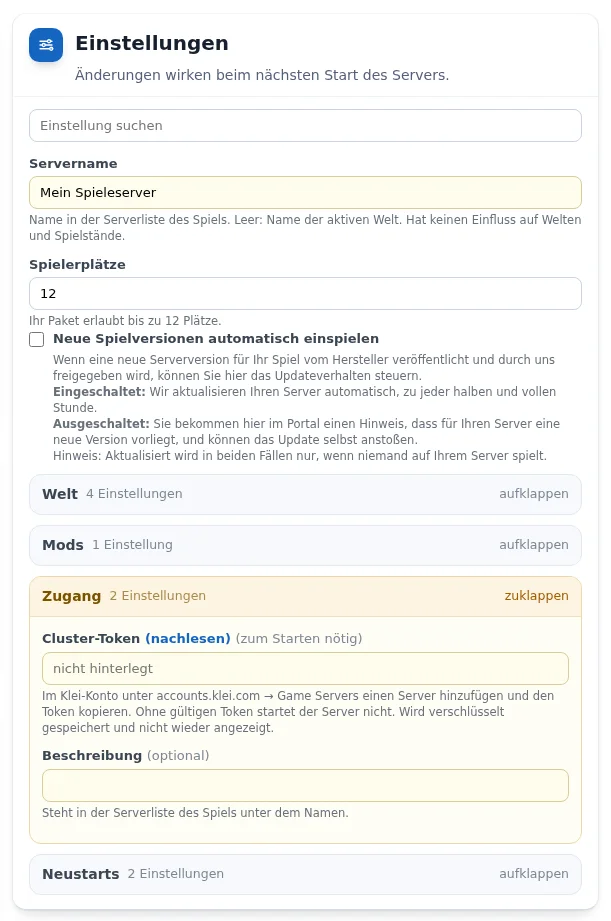
Entering the cluster token
- Log in with your Klei account at accounts.klei.com and open Game Servers.
- Add a server there and copy the token.
- Enter it in the customer portal in the „Zugang“ (Access) group in the „Cluster-Token“ field.
- Start the server with „Server einrichten und starten“ (Set up and start server).
Without a valid token the server does not start. The token is stored encrypted and not shown again afterwards. The same group contains the „Beschreibung“ (Description), which appears below the name in the server list.
World and game mode
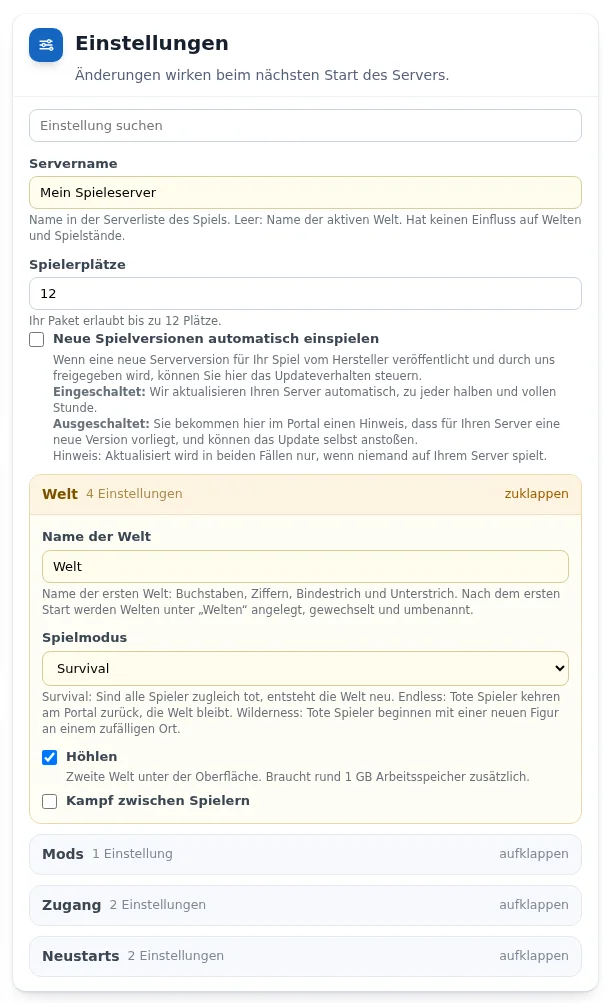
- „Name der Welt“ (World name): the name of the first world. After the first start you create and switch worlds in the „Welten“ (Worlds) card.
- „Spielmodus“ (Game mode): Survival (if all players are dead at the same time, the world is regenerated), Endless (dead players return at the portal, the world stays) or Wilderness (dead players start with a new character at a random place).
- „Höhlen“ (Caves): a second world below the surface. It needs about 1 GB of additional memory.
- „Kampf zwischen Spielern“ (Player versus player).
Mods from the Steam Workshop
From Flex M. Switch on the mod environment in the „Mods“ group with „Mods einschalten“ (Switch on mods) and enter the numbers from the addresses of the Workshop pages under „Workshop-Nummern“ (Workshop IDs), separated by commas. Other players download the mods automatically when joining.
Uploading your own world
In the „Mods und eigene Welt hochladen“ card with the type „Welt“ (World): an archive (.zip or .tar.gz) containing Welt/Master/save/shardindex, for example a downloaded backup. The server stops, backs up the old state, replaces the world and starts again.
Frequently asked questions
- Why does my server not start?
- Usually the cluster token is missing or invalid. Generate a new token in your Klei account and enter it again.
- Can I change the token later?
- Yes. Simply enter a new token. The customer portal does not show the stored token again.
See also: Managing a game server in the customer portal Connecting players